Quick answer
The full Corsair Cove Steam app uses AppID 1368140. Steam currently lists a Windows single-player game with achievements, trading cards, Steam Cloud, and Family Sharing. A separate free demo is available under AppID 3858730.
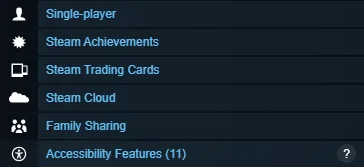
Official Corsair Cove Steam feature panel, showing the current single-player, achievements, trading cards, cloud, and Family Sharing labels on AppID 1368140.
Version and source notesUpdated 2026-08-22 · Source review due
- Updated
- 2026-08-22
- Works with
- Current Steam store listing for AppID 1368140
- What this guide covers
- Store features and minimum PC checklist
- Version notes
- Store features and requirements can change
- Update status
- Source review due
Steam features currently listed
The feature panel does not list multiplayer or co-op. Family Sharing is library access, not a multiplayer mode. See the multiplayer guide if that is your deciding question.
Minimum PC checklist
- Windows 10 64-bit or newer.
- 8 GB RAM.
- DirectX 12.
- 30 GB available storage.
- An SSD is recommended by the store page.
These are the listed minimums, not a guarantee of identical performance in every late-game settlement. Use the free demo to test your actual PC and preferred settings.
Before troubleshooting the wrong installation
- Confirm Steam shows AppID 1368140 for the full game.
- Check whether you launched the demo by mistake.
- Make sure at least 30 GB is available before verifying or reinstalling files.
- Let Steam Cloud finish syncing before moving between PCs.
- If the full game crashes, follow the safe crash fixes instead of deleting saves first.